DVSA have updated their policy so all drivers now need to enter any other work carried out between driving via the Tachograph Unit in a bus. Below sets out how to enter these “other work” jobs on the Tachograph
What other work should I enter?
Any other paid work from ourselves (8 Seater Jobs, Cleaning Shifts), another employer, or self-employed work
What other work don’t I need to enter?
Anthing you do for Leisure in your own time thats not paid for
What to do:
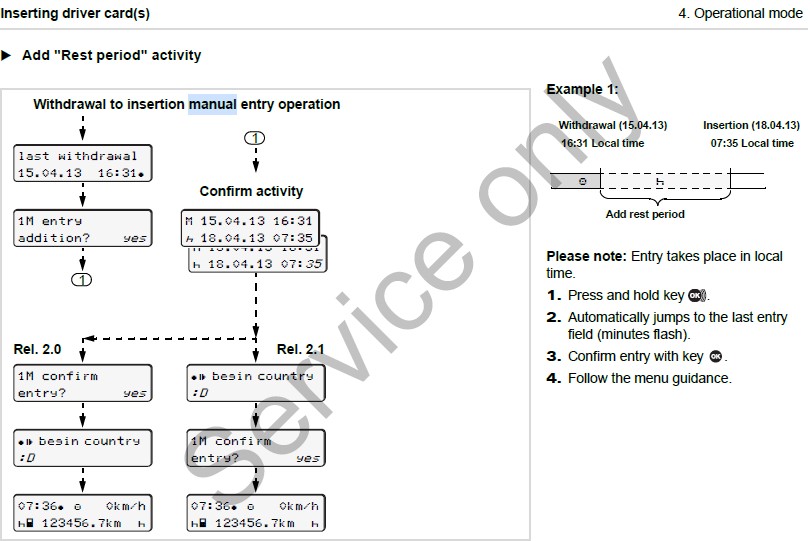
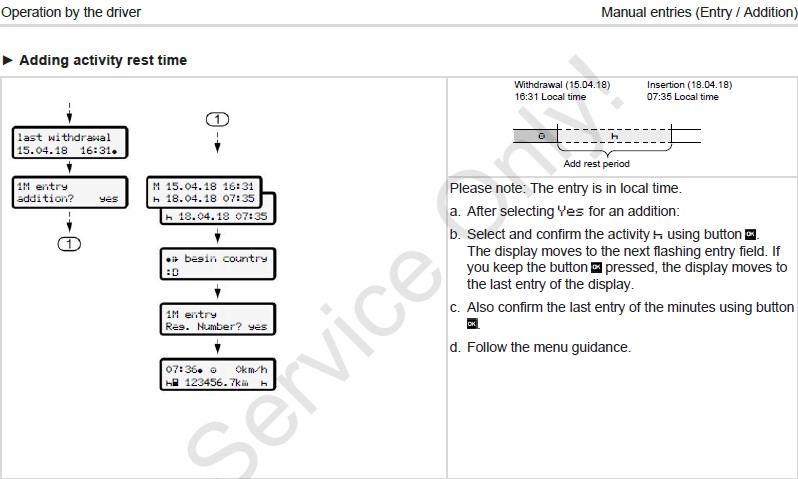
From 03/03/2023 when you enter your Drivers Card into the Tachograph you must select “Yes” when it says “1M Entry Addition”
Top Line will display the last Date & Time you card was removed from a Tachograph
Bottom Line will display the current Date & Time you inserted your card
If NO otherwork has been completed within this period then:
Ensure the bottom left icon displays “REST“, press up or down to toggle between icons
Press “Ok“, the flashing icon will move across to the date, Press “Ok” again to keep moving right
Once your at the end, Press “Ok” one last time, and then Confirm Entries “Ok“
DTCO 1381 – Full Rest Entry
DTCO 4.0 – Full Rest Entry
SE5000 Stoneridge – Full Rest Entry
Insert Drivers Card into Slot 1
Wait for it to load
When “Rest Until Now” is displayed, select “Yes”
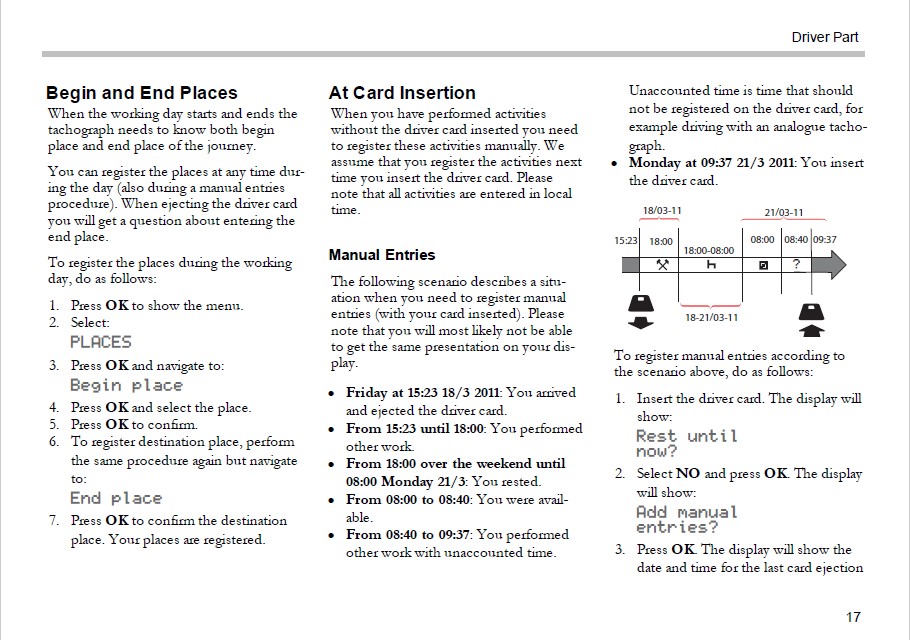
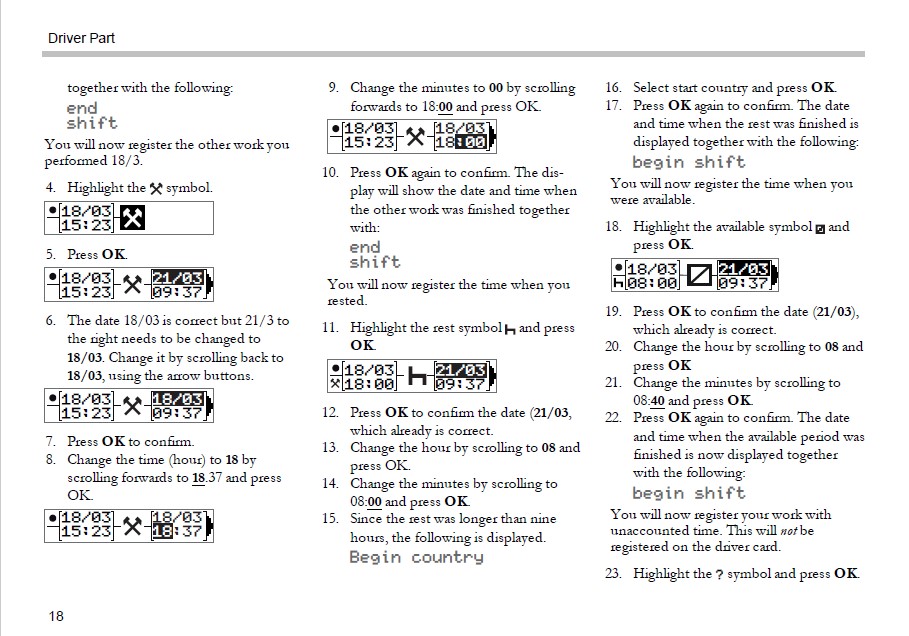
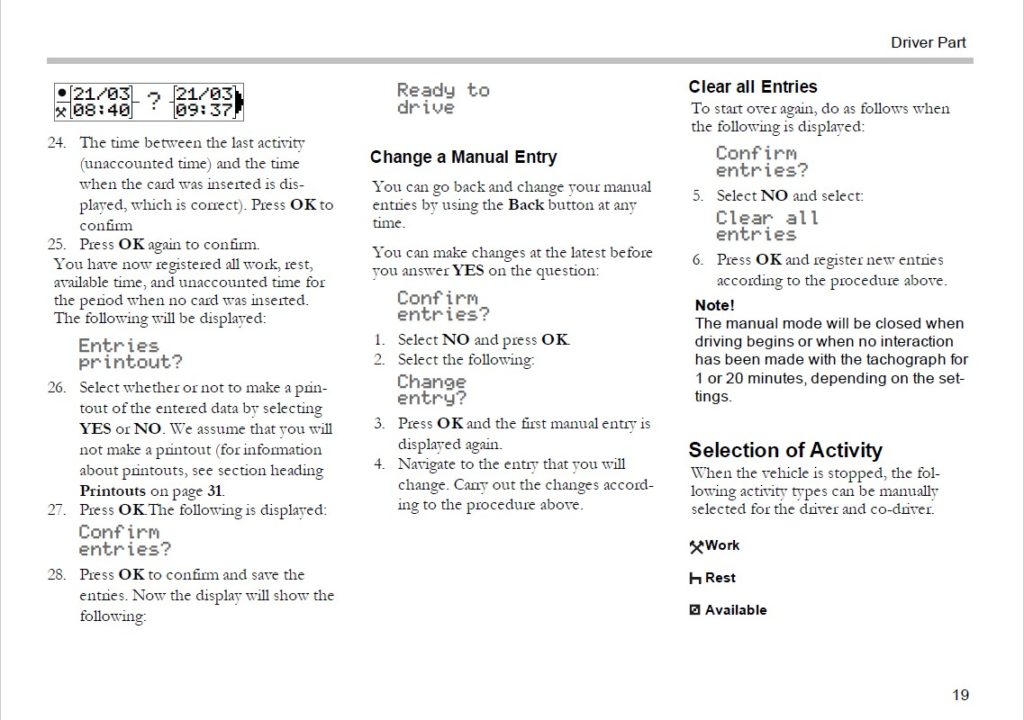
If otherwork has been completed within this period then you need to manually enter the timings of this other work, including breaks taken during that work.
On your driver App select “Manual Entries” just under Holiday Requests
We have automated the process for any other work carried out by yourself for us, any work we dont know about will not be listed on here so you will need to add that manually.
Select Below which Tachograph you are Manually Entering data on:
DTCO 1381 – Other Work Entry
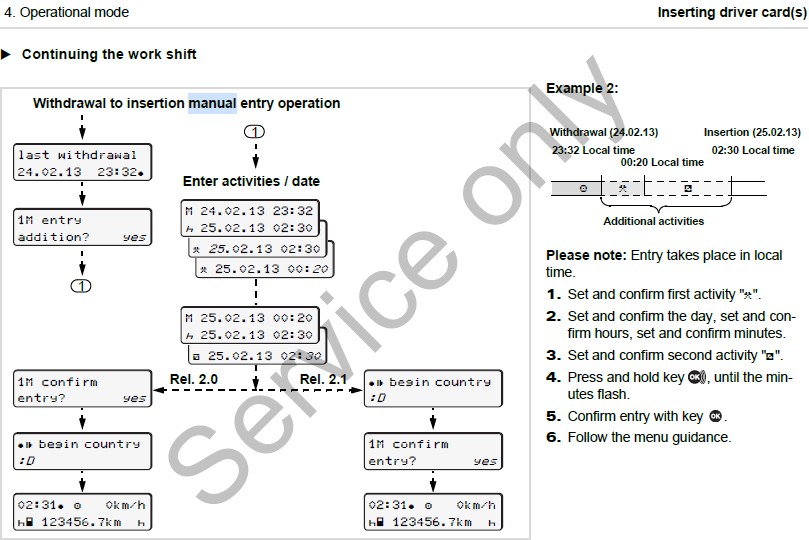
DTCO 4.0 – Other Work Entry
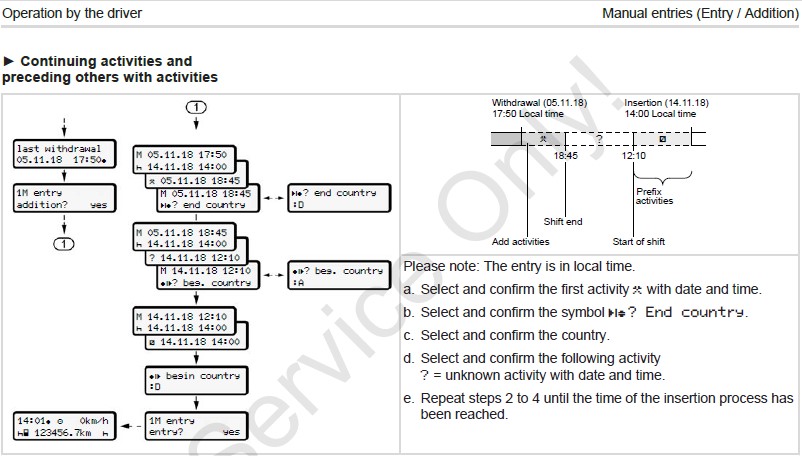
SE5000 Stoneridge – Other Work Entry